

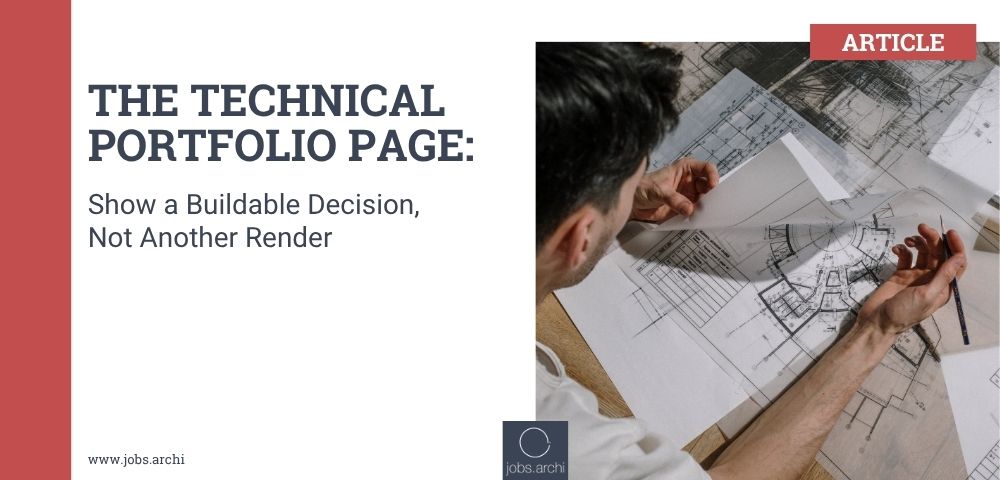

Many architecture portfolios show what a project looked like at the end. A technical hiring manager often wants to know how a design survived the questions between concept and construction: structure, services, code, materials, tolerances, cost and site conditions. One well-made technical page can answer more of those questions than another polished exterior view. It can also reveal your role clearly, which matters when the project belongs to a team.
This is not an invitation to publish confidential construction documents. Build a page from material you have permission to show, redact client details where required, or create a clearly labelled learning example. The goal is to demonstrate reasoning and coordination, not to display an impressive sheet number. A technical page should show one decision, the constraints around it and how you checked that it was ready for the next stage.
Choose a decision with a real consequence
Good candidates include a wall-to-roof junction, a stair geometry change, a façade module adjustment, a wet-area detail or an accessible entrance route. The decision should be narrow enough to fit on one page and broad enough to show a trade-off. “We made the façade look lighter” is an aesthetic statement. “We changed the mullion rhythm to align with the structure and keep the opening size required by the brief” gives the reader a problem to understand.
If the issue was never resolved, say so. A page can show your investigation and the next decision owner. It should not suggest that an unapproved solution was built. If the project was academic, mark it as academic and show which assumptions would need professional review. Truthful status makes the evidence more credible.
Select a decision you can explain without relying on a senior colleague to fill every gap. You may have prepared the drawing while another architect made the final call. State that distinction. “I tested two ceiling zones and prepared the comparison for the project architect’s decision” is valuable evidence. Claiming you led the whole package would be inaccurate.
Build the page around five questions
The reader should find the brief, the constraint, the alternatives, your contribution and the outcome. Use a small orientation image or plan to locate the issue. Show one or two alternatives, not a wall of iterations. Use arrows or short labels to identify what changed. Add a compact caption that explains why the selected option was preferred or what remained unresolved.
For a façade detail, the constraint might be thermal continuity, access for installation and alignment with the structural grid. The alternatives could be two bracket locations. Your contribution might be a marked-up section and coordination note. The outcome might be a consultant review, a revised detail or a change in the tender package. If you cannot say which stage the outcome reached, the page may be too vague for a technical portfolio.
Avoid filling the page with microscopic construction notes. A first-screen portfolio is not a full drawing set. The technical idea should be readable at ordinary laptop scale. Label materials and interfaces only where they explain the decision. Keep the original drawing’s scale and status visible if you are permitted to reproduce it; do not crop away a warning that it was preliminary.
Show coordination, not only a neat detail
Architecture technical work often lives at interfaces. A wall detail touches structure, waterproofing, fire strategy, services and procurement. Show which discipline or contractor input you needed. A simple table can list “Question — person asked — response — drawing affected.” It demonstrates that you know a good-looking detail cannot be issued in isolation.
If you found a conflict, describe how you identified it and who resolved it. For example: “The ceiling height shown on the reflected ceiling plan left insufficient space for the duct. I recorded the clash, compared two bulkhead positions and updated the architectural plan after MEP review.” That tells a hiring manager more about your usefulness than a flawless final section with no process.
The AIA guidance on improving drawings and specifications points to the importance of clear, coordinated documentation. Your portfolio page should give a reader a glimpse of that discipline. It does not need to teach the full code or claim a universal best detail.
Be precise about what was built
Use status labels: “student proposal,” “design development,” “issued for tender,” “site revision” or “built,” according to the actual record. If you include a site photograph, check permission and explain whether it shows your detail. Do not imply that a design option in your sketch was installed when the contractor used something else.
If there is a result you can verify, describe it. The team may have avoided a clash before issue, aligned two drawing packages or resolved a site query. Be cautious with claims such as “saved thousands” unless the cost was actually recorded and you are permitted to disclose it. An honest process outcome is still meaningful: “The revised drawing allowed the consultant to confirm the service route before tender.”
Do not blame another discipline on the page. “The engineer was wrong” tells the reader little about how you worked. Show the discrepancy and the agreed response. Technical judgement includes collaboration and an accurate record of who had authority to decide.
A sample one-page layout
Put a short title at the top: “Roof edge at existing masonry wall.” Under it, use one sentence for the decision: “The team had to maintain a continuous weather barrier while retaining the existing parapet.” On the left, show the location plan and existing condition. In the centre, show two options with two or three annotated differences. On the right, show the reviewed solution or the open question, plus a small role box: “My work: measured survey, option sections, consultant issue log. Review: project architect and structural engineer.”
At the bottom, write a three-line lesson: what changed, why it changed and what you would check earlier next time. That final line makes the page useful even if the result is visually modest. A technically literate reader can see how you think under constraint.
Use accessible text and a file size that opens quickly. Export and view the PDF on a normal screen, not just on the large monitor you designed it on. If labels require zooming to 300%, simplify. If a diagram relies only on red and green, add written labels so the meaning survives printing and different viewing conditions.
Tailor the page to the vacancy
For a role focused on construction documentation, lead with the drawing and issue-resolution sequence. For a concept-heavy role, show how technical constraints reshaped design rather than presenting the detail as an isolated engineering exercise. For a retrofit practice, include the existing-condition uncertainty. For a healthcare practice, show how user flow or maintenance access affected the detail if you actually worked on it.
The hiring manager should be able to connect the page to a task in the job description. If the vacancy asks for consultant coordination, label the coordination. If it asks for detailing, make the detail readable. Do not change the factual status or your role to fit a new application. Change the order and explanation of true evidence.
The AIA hiring-manager advice encourages a portfolio that communicates clearly and credits the work you did. A technical page is one way to make those expectations concrete. It answers a question that a beautiful render cannot: “Can this person identify a buildability problem, work with others and document a decision accurately?”
Test it with a practising architect
Add the question you would ask next time
Technical competence grows through retrospection. After you explain the chosen solution, add one question you would raise earlier on a future project. Perhaps you would request the engineer’s movement criteria before sketching a cladding joint, confirm a supplier’s installation tolerance before fixing a dimension or ask the operator how a roof component will be replaced. This is not an apology for the completed work. It demonstrates that you can recognise an assumption before it becomes expensive.
If the project is still live, phrase the question without implying that the team has overlooked a safety issue. For example: “Next-stage check: confirm access for maintenance with the facilities team.” In an interview, explain who owns the answer and when it is needed. A hiring manager can then see that you think beyond the static detail and know how to protect the next project stage.
Give the page to someone who has not worked on the project. Allow one minute of silent reading. Ask what decision they think was made, who made it, what your contribution was and what stage the solution reached. If they cannot tell, the layout or captions need work. If they immediately ask a sensible technical question, the page has opened the right conversation. Prepare to answer with the underlying drawing set in an interview, subject to permission.
A strong technical portfolio page does not pretend you know every code, material and contract form. It shows how you move from a constraint to an authorised, traceable decision. For many roles, that is the evidence a firm has been waiting to see.
Browse current architecture jobs on Jobs.archi and compare your next step with our architecture portfolio and interview guide.
The post The Technical Portfolio Page: Show a Buildable Decision, Not Another Render first appeared on jobs.archi.